
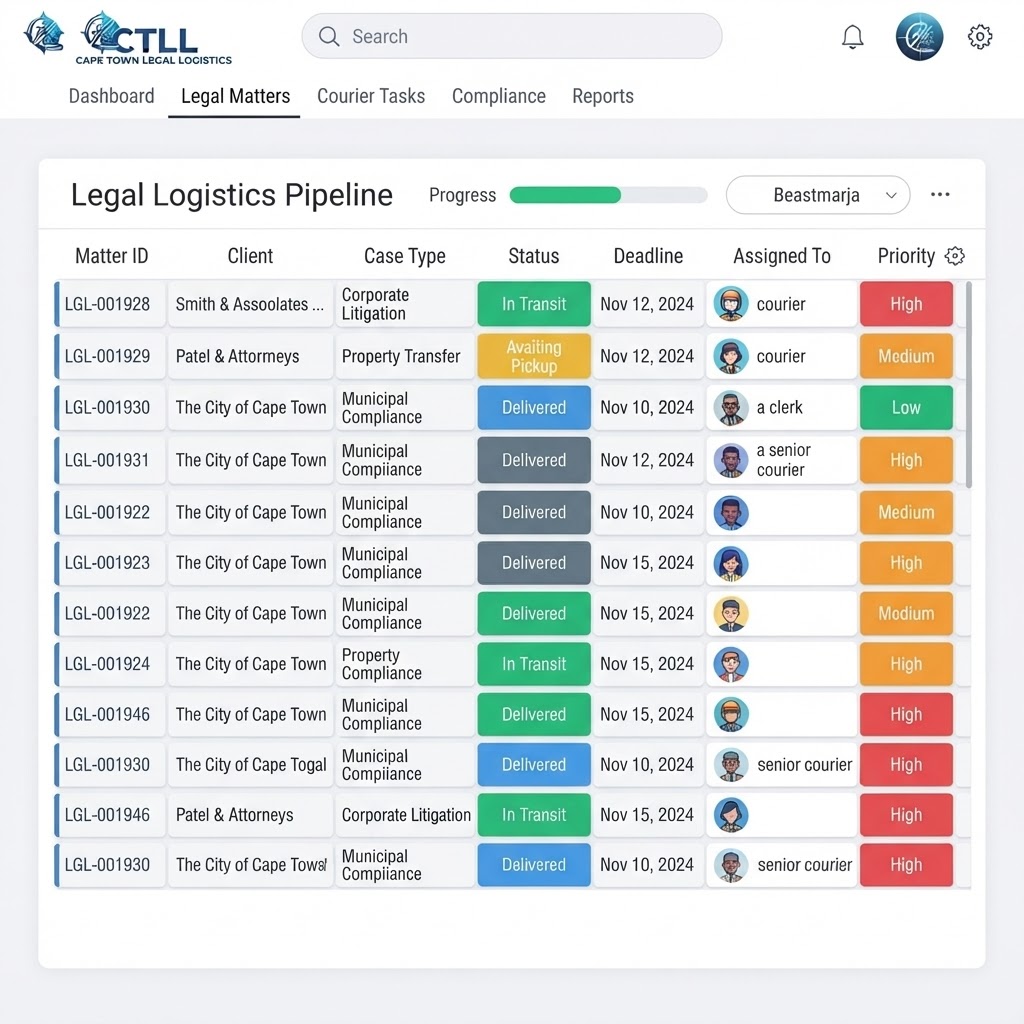
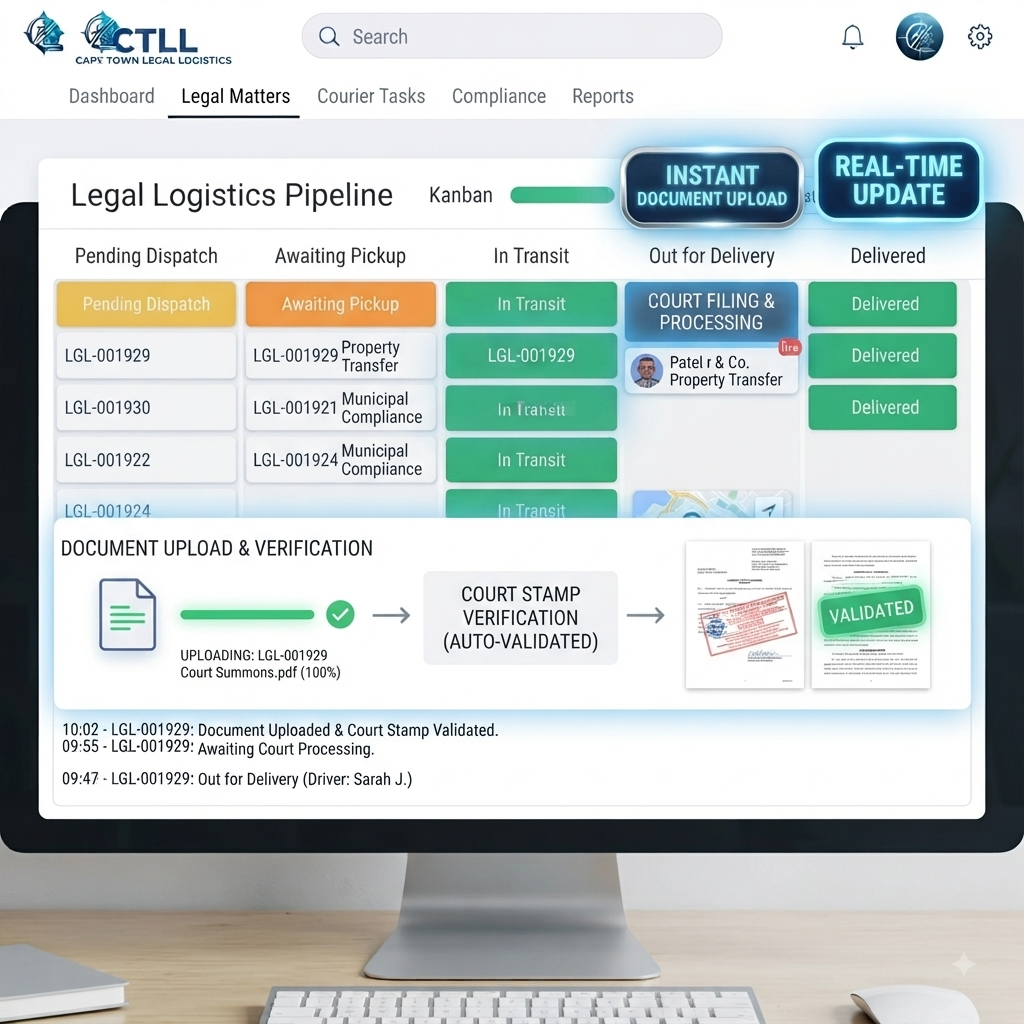
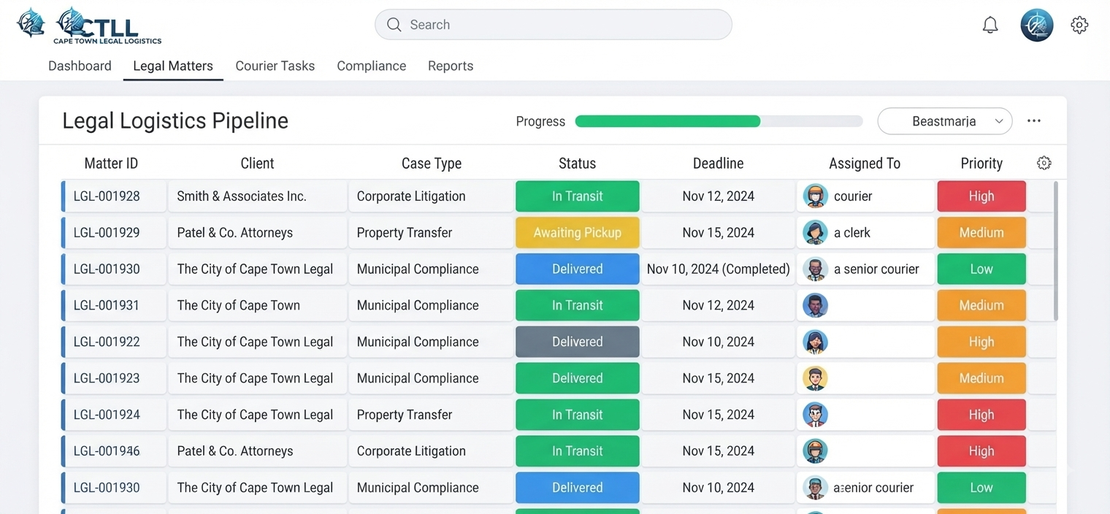
The CTLL Portal is where we will create your firm’s private workspace. Once signed up, we will provide you with access. It is designed specifically for busy attorneys who want to log instructions quickly, reduce back-and-forth emails and WhatsApps about status, and see real-time updates on every court, Master’s and Deeds run. Instructions are captured in a few simple fields, routed straight to your legal messenger, and closed out with time-stamped notes and uploaded stamped court documents for your records.



1. Sign contract and onboarding
Your firm signs the CTLL service contract and shares basic firm details, key contacts and preferred billing option.
2. CTLL sets up your workspace
CTLL creates a private, dashboard for your firm, with your matters, typical services and courts pre-configured.
3. Users receive login links
Authorised attorneys and support staff receive secure email invitations to the CTLL Portal with their own logins.
4. Log instructions in seconds
When you need a run, you complete a short instruction on the portal and attach any documents that must be filed or presented.
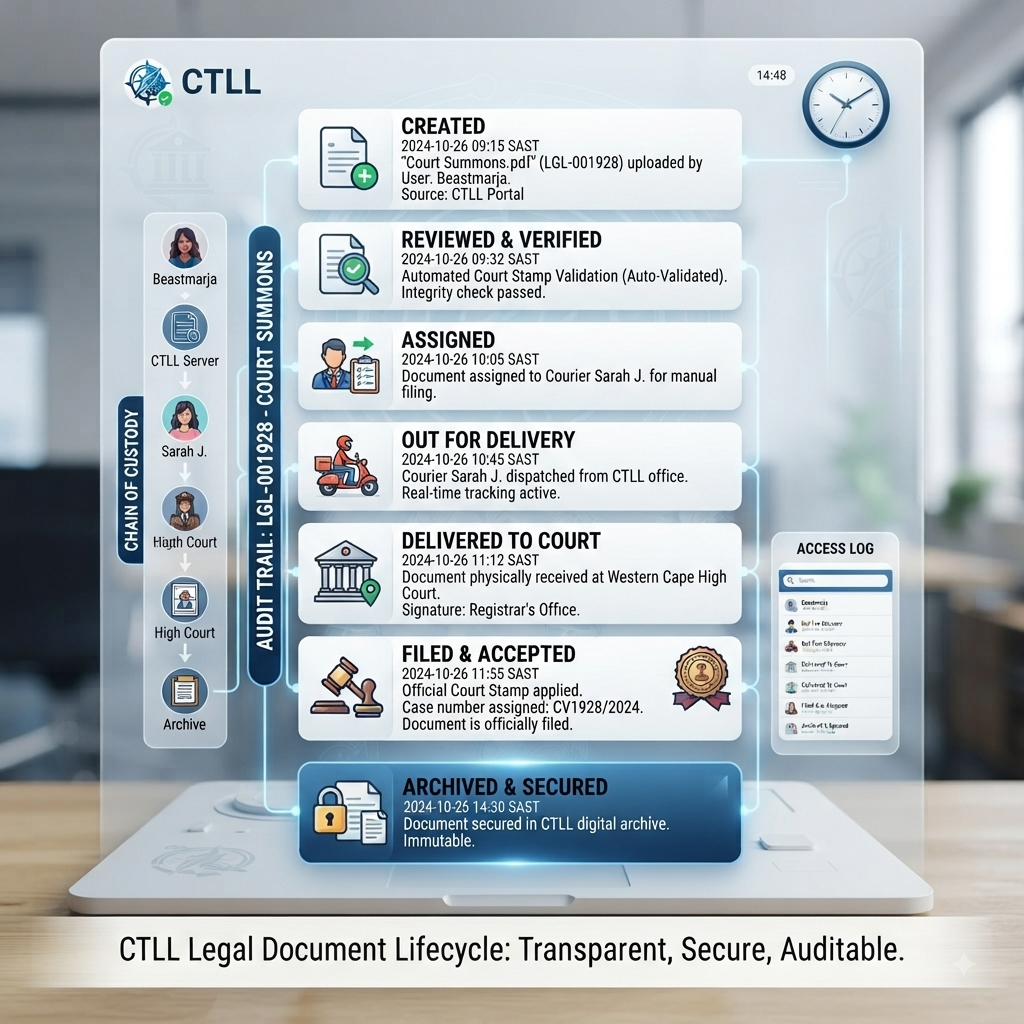
5. CTLL executes and updates
Your runner acts on the instruction, updating the status at each key step so the whole team can see progress in real time.
6. Completion and document upload
Once the run is finished, CTLL marks it as complete and uploads any stamped cover pages or proof documents for download.
Your firm signs the CTLL service contract and shares basic firm details, key contacts and preferred billing option.
2. CTLL sets up your workspace
CTLL creates a private, dashboard for your firm, with your matters, typical services and courts pre-configured.
3. Users receive login links
Authorised attorneys and support staff receive secure email invitations to the CTLL Portal with their own logins.
4. Log instructions in seconds
When you need a run, you complete a short instruction on the portal and attach any documents that must be filed or presented.
5. CTLL executes and updates
Your runner acts on the instruction, updating the status at each key step so the whole team can see progress in real time.
6. Completion and document upload
Once the run is finished, CTLL marks it as complete and uploads any stamped cover pages or proof documents for download.
On any given day you can:
Less chasing, more control
Instead of phoning or messaging to ask “Has this been lodged yet?”, you simply open the Portal and see exactly where things stand.
- See all open and completed instructions at a glance.
- Filter by matter, court, office or responsible attorney.
- Open a run to read detailed, time-stamped notes from CTLL.
- Download stamped documents directly for your file or billing.
Less chasing, more control
Instead of phoning or messaging to ask “Has this been lodged yet?”, you simply open the Portal and see exactly where things stand.
As a legal-focused messenger service managed by an admitted attorney, CTLL treats your matters and client data with the same seriousness you do. Your Portal workspace is private to your firm, with access limited to named users that you authorise. All matters, documents and updates sit within a secure CTLL portal environment, and CTLL only uses your information to execute and report on your instructions.
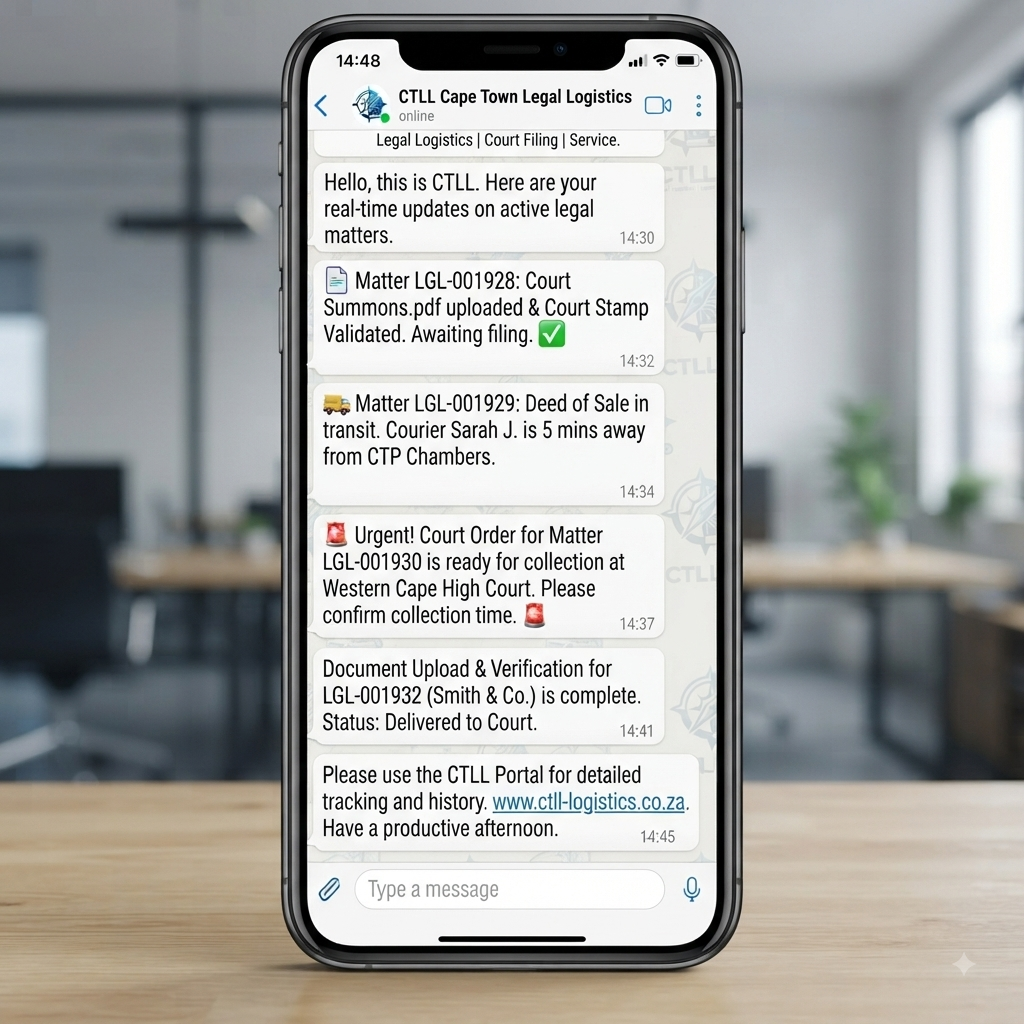
We avoid exposing sensitive information over informal channels: WhatsApp remains available for urgent flags, but the Portal is the controlled, documented space where statuses and files are kept. Access can be revoked promptly if a staff member leaves, and we encourage firms to follow their own internal policies around who is granted login rights.
We avoid exposing sensitive information over informal channels: WhatsApp remains available for urgent flags, but the Portal is the controlled, documented space where statuses and files are kept. Access can be revoked promptly if a staff member leaves, and we encourage firms to follow their own internal policies around who is granted login rights.
The CTLL Portal is reserved for firms that have signed the CTLL service contract and completed onboarding. Within each firm, access is typically given to partners, associates, candidate attorneys and selected support staff who regularly brief CTLL or need sight of matter progress.
Each user has their own login so actions can be traced clearly. If your firm prefers a centralised approach, you can also designate a single Portal administrator who logs and tracks all instructions on behalf of the team.
Each user has their own login so actions can be traced clearly. If your firm prefers a centralised approach, you can also designate a single Portal administrator who logs and tracks all instructions on behalf of the team.
To add or remove users, your firm’s nominated Portal administrator (or a partner) can request changes via the CTLL support channels listed below. Access changes are normally processed within one business day.
If you are an existing CTLL client and do not yet have a login, please ask your firm’s CTLL contact or Portal administrator to request access for you so that permissions stay aligned with your internal policies.
If you are an existing CTLL client and do not yet have a login, please ask your firm’s CTLL contact or Portal administrator to request access for you so that permissions stay aligned with your internal policies.
If you have any difficulty using the CTLL Portal, you can reach out using the same channels you use for service-related queries:
Common Portal support topics include:
For more detailed technology questions, you can also visit the main FAQ page under “CTLL Portal and Technology”, where common scenarios and tips are listed in more depth.
- WhatsApp the CTLL line for urgent access or status issues.
- Email CTLegalLogistics@gmail.com for non-urgent Portal questions, user changes or training needs.
Common Portal support topics include:
- Password resets or login problems.
- Questions about what a particular status means.
- Adding or removing team members.
- Help finding a specific run or uploaded document.
For more detailed technology questions, you can also visit the main FAQ page under “CTLL Portal and Technology”, where common scenarios and tips are listed in more depth.
To unlock Portal access for your firm, simply complete two steps: sign the CTLL service contract and choose your preferred pricing option (such as the Associate Plan retainer or pay-as-you-go). Once onboarding is complete, CTLL will set up your private workspace and invite your team so that you can start logging instructions and tracking runs in real time.
You can begin by sending us a request to sign up. Once signed and sealed, we create you own dashboard, and you have immediate access to log requests on the CTLL Portal. Easy!!
You can begin by sending us a request to sign up. Once signed and sealed, we create you own dashboard, and you have immediate access to log requests on the CTLL Portal. Easy!!
Choose how you would like to get started with CTLL and the Portal. If you are unsure which option best suits your firm, you can also contact CTLL for personalised guidance before committing.